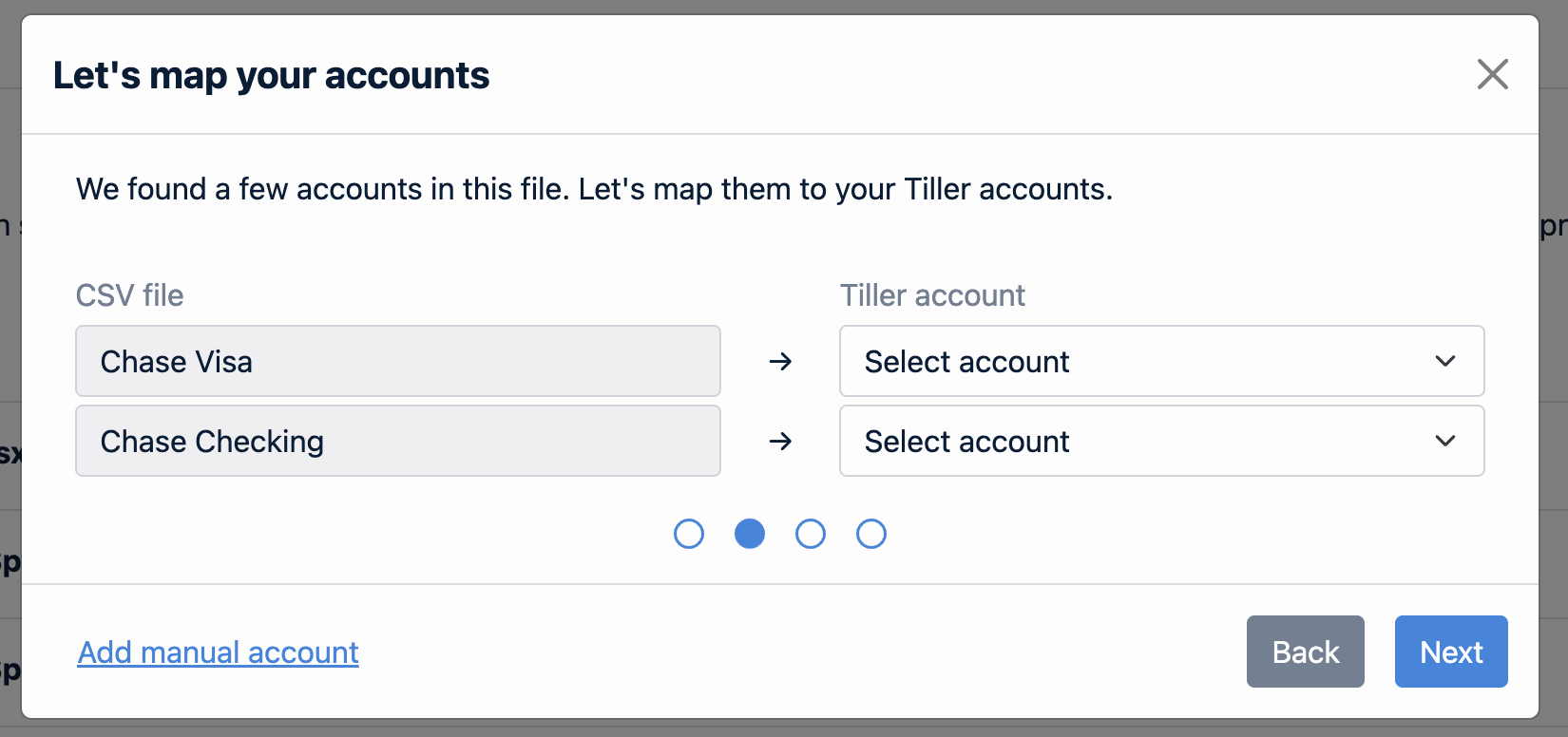
We’re excited to introduce the CSV Importer, our newest feature to make it easier than ever to bring transactions from all your accounts into your Tiller-powered spreadsheets.
Our CSV import tool allows you to import your bank transactions directly into accounts managed by Tiller and right into your spreadsheet. It’s handy if you prefer to track manually or need to add more transaction history.
The CSV Importer supports a variety of amount formats (since not all bank exports are the same), allowing for flexible account and column mapping giving you control over how to import your data.
Alongside our work to improve automated bank feeds, we know there are times where a CSV importer is the best option. This capability has been a highly requested feature, and we’re excited to keep improving it with your input.
Hello, I tryed several months ago to connect with tiller. I did import one sheet in csv . But I wonder since I am in QUébec, Canada if this software is still good for me . What do you think ? Let me know please. I need to know today if possible.
Many thanks . Do I need to register with my credit card or not since I can not connect my bank account directly with Tiller
Lucie Caron
This seems like a great addition for manual accounts. How does the CSV import interact with the Balance History sheet? Is there a different way to import account balance updates only?
thanks for the note - this could be useful but not for me - so far at least, the data from my Canadian bank accounts has come in quite efficiently.
I do manually add data from several other banks in Mexico and Africa. I used to have these records in a spreadsheet and I was copy and pasting data into Tiller, but more recently I am keeping a worksheet for each one in my Tiller spreadsheets. I download the banks’ .cvs files, copy and paste into the appropriate worksheet in Tiller, reformat the data and convert to CAD, and then a macro adds the data to the Transactions page. But an app that would copy the data from the bank file into the bank worksheet in my Tiller file, would be really helpful.
Hello,
How is this tool different from “Manage Account Summary” on the tiller website? Aren’t we already importing our accounts into worksheets “transactions” tab?
Sorry, I’m confused how this is an improvement from what we already have?
Please educate me
The CSV Importer only imports transactions right now, and does not interact with Balance History at this time. There isn’t a way to import account balance entries yet.
It sounds like this tool would be a fit @pkieran2008
@apetz if your automated bank feeds are working great then there is no need to use this tool. It’s handy if you need to manually track an account or if you want to import history beyond what we were able to pull initially.
I am saddened that you would release such a tool without duplicate detection.
It looks like the extra 2 hour of AI based coding and testing would have saved your documentation writer a significant amount of time in not having to write caveats for such a fundamental capability. Even if it were a week of extra coding effort, it would save untold user time from having to discover duplicate transactions were imported.
Thanks for your feedback here @mandpeklund de-duplication is something we hope to offer. The challenge is that sometimes the duplicates are going to be introduced when a data feed resumes, which means the duplicate detection would need to happen as transactions are coming in from the aggregation partner. This would require much bigger changes to our system architecture to handle appropriately and prevent data corruption and/or ensure all your transactions make it accurately into the database and any changes you’ve made to the transactions imported via CSV persist. So while it may seem like a simple problem to solve, it’s actually quite complex and didn’t fit into the scope for this initial release.
@kendyllcampbell1 that’s a great idea! I will definitely release a video on this, but may take a little time as we’re heading into a all team retreat up in the PNW next week.
@william.mcrae108 I don’t know what the Apple Card CSV import looks like, but if you can share a CSV that has one dummy transaction in it and all the headers I can help with guidance on that until it’s a specific format we can support.
My possibly incorrect expectation is that this is needed for banks that just refuse to import automatically. In that case date and amount would go a long way towards duplicate detection. In my case, I currently have to manually make sure I don’t import duplicates by eliminating any transactions the bank overlapped in its default import. I’d much rather just download the last two months every month and let the tool figure it out.
I didn’t consider merging accounts since when importing works, csv import didn’t seem needed.
Hello I spent many hours tonight in order to import csv , But doesn’t work . Can someone come in my computer and manage what it needed please ’ I had in the past when Mint stop his activities choose Tiller and succeed in having many transactions written. But until march 2024 . i really need help please. Let me know who or if you can help me
Many thanks Lucie
@mandpeklund agree that the best use case right now is for manually tracking accounts that don’t work well (or at all) with either of our aggregators. It’s possible that the dedup on that side is easier, but it’s not something that was in scope for this. I hope we can add it in the near future!
@gkstepbless I suspect that nothing is happening because the file format is unexpected. Please write into support@tiller.com and send the CSV file you’re trying to import with only the header row and 1 dummy/fake transaction (do not send the full file with all your transactions). That will help us assess why the importer is not recognizing your file.
Most likely it’s due to the amount format being some other incorrect format. See the content here on the expected formats for amounts:
@malcolm.cook good question! It does not yet support the ability to process Amazon CSV files as that workflow is quite complex and needs careful attention!