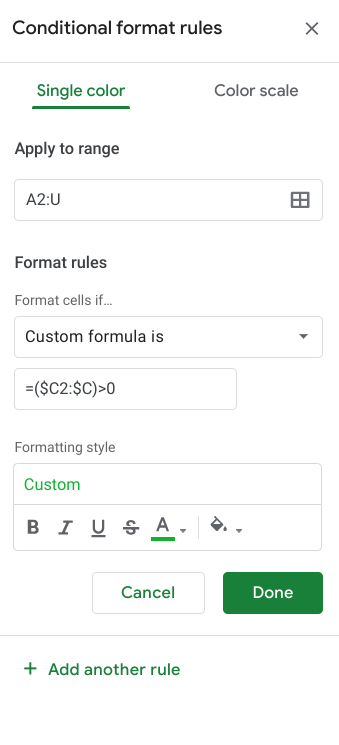
In the transactions tab, select all the rows, and then Format>Conditional Formatting. You’ll have to set up a few rules, and its kind of like autocat but different, the rules on the top will override the rules on the bottom. This is my set up now:

In this set up, column C is the transaction amount column, and column H is the category Group.
Here is the specific formula for one:

And here is another formula - should give you a sense of what you need to do: