Overview
I had replaced the Tiller foundation Monthly Budget sheet with this sheet- Timeframe Actuals vs Budget Tracker; ability to exclude Groups and/or Categories. It allows you to exclude Categories or Groups and you can choose different time frames. I then deleted the Monthly Budget sheet since I was not using it any longer.
What I didn’t know is that the Yearly Budget sheet uses the Monthly Budget sheet, so it stopped working! 
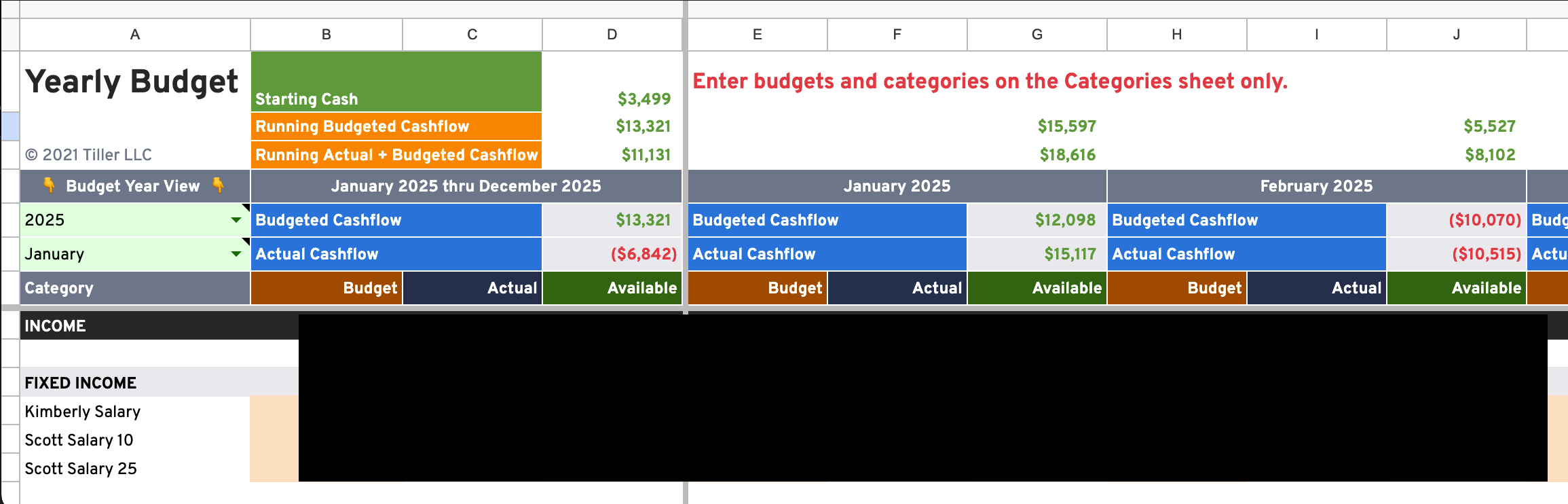
So, I rewrote the Yearly Budget to remove its dependency on the Monthly Budget sheet. I also added YTD running budgeted and actual cash flow.
This looks pretty much the same as the original Yearly Budget, but with the added cashflow…
You can download it here…
Installation
Simply copy the sheet to your Tiller workbook. It uses the 4 core foundation sheets- Categories, Transactions, Balance History, and Accounts.
Setup
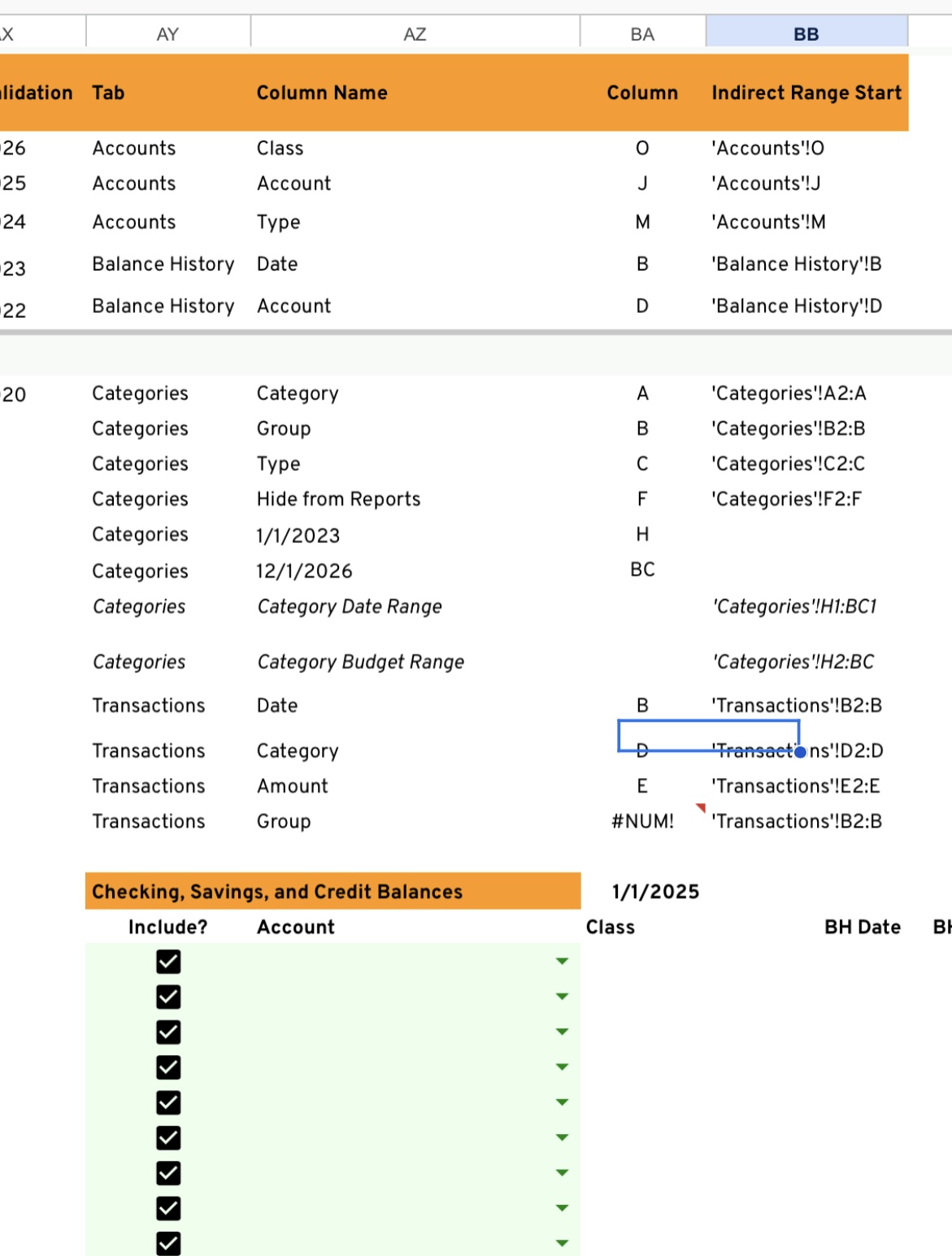
If you want to track cash flow using the starting balance of certain accounts, you need to choose the accounts to include in columns AY and AZ…

Usage
Set up your budget in the Categories sheet. FYI- I insert additional columns each year and add the new year’s budget to the Categories sheet…

You can also condense the layout by selecting to either show or hide blanks lines between Groups.

Permissions
It is absolutely ok for others to copy, use, and modify your workflow.
Notes
You can continue to use the Yearly Budget from the Tiller foundation sheet as long as you have the Monthly Budget sheet. If you don’t use the Monthly Budget sheet and want to save some processing power and reduce the number cells your workbook uses, you can use this.
Enjoy!
 I love the idea, hope I can get it running!